
Most developers open ten browser tabs, compare five pricing pages, and still cannot decide which AI coding tools are actually worth installing in 2026. The market has exploded — terminal agents, AI-native IDEs, browser-based builders, and code-review bots all claim to be “the best,” and most comparison articles just repeat marketing copy instead of real, hands-on experience.
This guide solves that problem. Below is a tested, evidence-based list of the 25 best AI coding tools in 2026 — covering agentic coding assistants, AI pair programmers, AI-powered IDEs, and specialized code-review tools — along with clear guidance on which one fits your workflow, budget, and team size. Whether you’re a solo developer, a startup CTO, or an engineering lead evaluating tools for a whole team, you’ll find a practical starting point here.
What Are AI Coding Tools?
AI coding tools are software applications powered by large language models (LLMs) that help developers write, edit, debug, test, and understand code using natural language prompts. Unlike the old-school autocomplete of a decade ago, today’s AI coding assistants can read an entire codebase, plan multi-step changes, open pull requests, run tests, and fix their own mistakes.
In 2026, these tools fall into a few broad categories:
- AI-native code editors (e.g., Cursor, Windsurf, Zed) — full IDEs rebuilt around AI from the ground up.

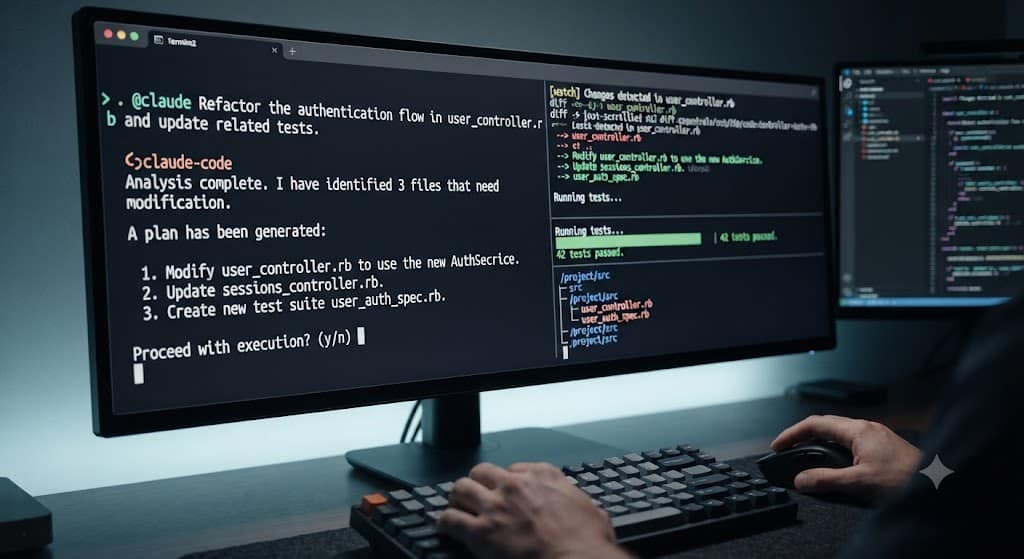
- Terminal-based coding agents (e.g., Claude Code, Aider, OpenCode) — command-line agents that operate directly on your repository.
- IDE extensions and copilots (e.g., GitHub Copilot, Tabnine, JetBrains AI Assistant) — AI layered on top of editors you already use.
- Cloud and browser-based builders (e.g., Replit AI, Bolt.new, v0, Lovable) — tools that generate and deploy full applications from a prompt.
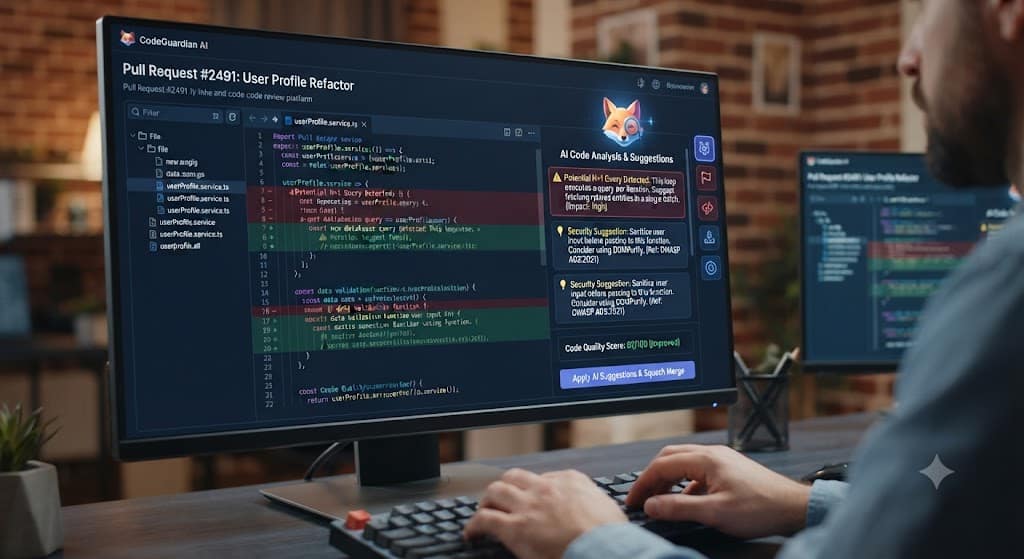
- Code review and quality tools (e.g., CodeRabbit, Qodo, GitLab Duo) — AI agents that review pull requests and catch bugs before merge.
How We Selected and Evaluated These AI Coding Tools
This list was built using a mix of independent benchmark data (such as SWE-bench Verified scores, where available), publicly reported pricing, and practical usability factors like multi-file editing, codebase awareness, IDE integration, and how well each tool performs on real production codebases rather than toy demos. Tools that only look good in a marketing demo but struggle with large, messy, real-world repositories were ranked lower, in line with how most professional teams actually experience these products day to day.
The 25 Best AI Coding Tools in 2026
1. Claude Code
Anthropic’s terminal-based coding agent is widely regarded as the strongest option for deep reasoning, multi-file refactors, and codebase-wide architectural changes. It’s the go-to choice when a task is too complex for quick autocomplete and needs real planning.
2. Cursor
Cursor is a full AI-native IDE built from scratch instead of bolted onto an existing editor. Its Composer mode lets you describe a change in plain English and apply it across multiple files at once, which is why it’s often used as a developer’s daily driver.
3. GitHub Copilot
Still the most widely adopted AI coding assistant thanks to native integration with VS Code, JetBrains, and Neovim. It excels at fast inline completions and now offers access to multiple underlying models depending on your plan.
4. Windsurf
Formerly Codeium, Windsurf combines an AI-native editor with agentic “flows” that can carry out multi-step coding tasks, making it a strong Cursor alternative for teams that want a free-to-start entry point.
5. OpenAI Codex
OpenAI’s coding agent, available through ChatGPT and the API, supports adjustable reasoning depth — from instant answers to long, deep problem-solving sessions — plus computer-use capabilities for automating broader development tasks.
6. Amazon Q Developer
Built for teams already living inside AWS, Amazon Q Developer is strong at infrastructure automation, security scanning, and large-scale code transformations, with a generous free tier for smaller projects.
7. Google Gemini Code Assist
Google’s coding assistant integrates tightly with Google Cloud and Android development workflows, making it a natural pick for teams already using GCP services.
8. Replit AI
A browser-first, fully hosted coding environment that’s especially popular with beginners, educators, and non-technical founders who want to prototype an app without setting up a local dev environment.
9. Tabnine
Tabnine focuses on fast, predictable code completions and can run on local models, which makes it attractive to companies with strict data-privacy requirements that can’t send code to the cloud.
10. JetBrains AI Assistant
Built directly into JetBrains IDEs like IntelliJ and PyCharm, this assistant offers in-editor chat, code generation, and refactoring help without needing to leave your existing JetBrains workflow.
11. Qodo (formerly Codium)
Qodo specializes in agentic pull-request review and automated test generation, so it typically works alongside a coding agent rather than replacing one — a strong pick for teams focused on code quality.
12. Cline
An open-source, agentic coding assistant that operates inside VS Code, offering developers more transparency and control over how the AI edits their codebase compared to closed-source alternatives.
13. Aider
A terminal-based, open-source pair-programming tool that works directly with your local git repository, giving developers who prefer the command line a lightweight but powerful AI coding option.
14. OpenCode
An open-source terminal agent that can be paired with low-cost models like DeepSeek, offering near-professional-grade AI coding assistance at a fraction of the cost of premium subscriptions.
15. Devin AI
Marketed as an autonomous AI software engineer, Devin can plan and execute longer, multi-step engineering tasks with minimal supervision, though it’s best suited for well-scoped tasks rather than fully unsupervised production work.
16. Supermaven
Known for extremely fast, low-latency autocomplete, Supermaven is often used alongside a heavier reasoning tool, giving developers instant suggestions during everyday typing.
17. Sourcegraph Cody
Cody leans on Sourcegraph’s code-search technology to give the AI deep context across very large, multi-repository codebases, making it a strong option for big enterprise engineering teams.
18. GitLab Duo
GitLab’s built-in AI assistant covers code suggestions, chat, and automated code review directly inside GitLab’s DevSecOps platform, useful for teams already standardized on GitLab.
19. CodeRabbit
An AI code-review bot that automatically comments on pull requests, flags potential bugs, and suggests fixes, acting like an always-available junior reviewer for your team.
20. Bolt.new
A browser-based tool that generates and deploys full-stack web applications from a single prompt, popular for fast prototyping and non-developers who want to ship a working product quickly.
21. v0 by Vercel
Focused on turning natural-language prompts into production-ready React and Next.js UI components, v0 is a favorite among frontend developers building interfaces quickly.
22. Lovable
Another prompt-to-app builder aimed at founders and product teams who want to go from idea to a working, deployable product without writing code manually.
23. Zed
A high-performance, open-source code editor with built-in AI collaboration features, appealing to developers who want a lightweight, fast editor with AI assistance rather than a heavier IDE.
24. Builder.io
Builder.io connects design tools like Figma directly to your production codebase, letting AI implement UI-heavy features while respecting your existing design system and git workflow.
25. OpenHands
An open-source autonomous coding agent framework that developers can self-host, giving full control over how the agent operates, which models it uses, and where code data is processed.
How to Choose the Right AI Coding Tool for You
With 25 options on the table, the right choice depends on your situation, not a universal ranking:
- Solo developers and freelancers often do best with one flexible tool like Cursor or Windsurf that handles both quick edits and larger tasks.
- Teams working on large, complex codebases tend to prefer Claude Code or Sourcegraph Cody for their deeper reasoning and codebase-wide context.
- Budget-conscious developers can get strong results from open-source options like Aider, Cline, or OpenCode paired with a low-cost model.
- Non-technical founders and prototypers are usually better served by browser-based builders like Replit AI, Bolt.new, or Lovable.
- Engineering teams focused on code quality benefit from adding a review-focused tool like CodeRabbit or Qodo on top of whichever assistant they use for writing code.
Most professional developers in 2026 don’t rely on a single tool — a common setup pairs a fast, everyday editor (like Cursor or Copilot) with a deeper reasoning agent (like Claude Code) for the hardest problems. If you want a deeper breakdown of how agentic tools compare to simple autocomplete assistants, our guide on choosing between AI pair programmers and autocomplete tools walks through the trade-offs in more detail. We’ve also covered how to set up an AI-powered development workflow for teams migrating from traditional IDEs.
Conclusion
AI coding tools are no longer a nice-to-have experiment — in 2026, they’re a core part of how professional software gets built. The problem was never a lack of options; it was knowing which of the 25+ tools on the market actually deserve a place in your workflow. By matching the tool to your specific need — deep reasoning, fast completions, browser-based prototyping, or automated code review — you can build a stack that genuinely makes you faster instead of adding another tab to manage. Start with one primary tool, get comfortable with it, and add a second specialized tool only once you feel a real gap in your workflow. For more comparisons and hands-on reviews of individual tools from this list, check our full AI development tools archive.
Further reading: For an independent, benchmark-based comparison of leading agentic coding tools, see Sourcegraph’s ranked guide to AI coding tools. For a broader look at how these tools fit different workflows, see Zapier’s roundup of the best AI coding apps.
FAQs
1. What is the best AI coding tool overall in 2026?
There is no single “best” tool for everyone. Claude Code is generally considered the strongest for deep reasoning and complex, multi-file work, while Cursor and GitHub Copilot lead for everyday, fast-flow coding.
2. Are AI coding tools free to use?
Many AI coding tools offer a free tier — including GitHub Copilot, Windsurf, Amazon Q Developer, and open-source options like Aider and Cline — though most require a paid plan or your own API key for heavier daily use.
3. Can AI coding tools replace human developers?
No. AI coding tools speed up writing, debugging, and testing code, but they still rely on a developer to direct them, review their output, and make architectural decisions. They work best as a pair programmer, not a replacement.
4. Which AI coding tool is best for beginners?
Browser-based tools like Replit AI or Bolt.new are often easier for beginners since they require no local setup, while GitHub Copilot is a gentle way to get AI assistance inside a familiar editor like VS Code.
5. Is it safe to use AI coding tools with proprietary or private code?
It depends on the tool. Options like Tabnine and self-hosted frameworks like OpenHands support local or private deployment for teams with strict data policies, while most cloud-based tools process code on external servers, so it’s worth checking each vendor’s data-retention policy before use.