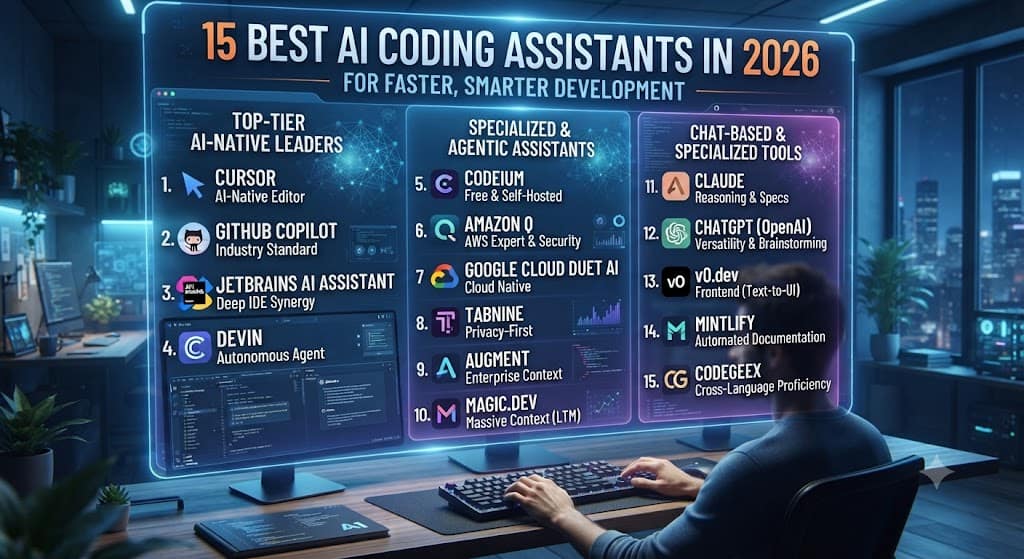
Compare the 15 best AI coding assistants of 2026 — Copilot, Cursor, Claude Code, Windsurf, and more — with pricing, features, and picks by use case.
Quick Answer
There is no single “best” AI coding assistants tool in 2026 — the category has split into editor-based assistants, terminal-based coding agents, browser app builders, and code-review platforms, and most professional developers now run two or three of them together.
- Top Choices: Cursor and Claude Code currently lead primary-tool adoption among developers, while GitHub Copilot remains the broadest entry point with the widest IDE support.
- Specialized Tools: Tabnine (privacy), Amazon Q Developer (AWS), and Qodo (code review) win specific workflows.
- How to Choose: The right pick depends on where you spend your day: inside an editor, in a terminal, or reviewing pull requests.
Introduction
AI coding assistants stopped being a novelty around 2024 and became infrastructure by 2026. Recent developer surveys put adoption at roughly 84–90% of professional developers using or planning to use AI tools in their workflow, with a little over half using them every working day, according to Stack Overflow’s 2025 Developer Survey, which found that 84% of developers use or plan to use AI tools in their development process — up from 76% in 2024 — with 51% of professional developers using AI tools daily.
What changed most in 2026 isn’t adoption — it’s specialization. A year ago, an AI coding assistant mostly meant autocomplete inside VS Code. Now the market has split into distinct layers: editor assistants that complete code as you type, terminal-based agents that handle multi-file refactors across an entire repository, browser-based app builders that scaffold full applications from a prompt, and review platforms that check pull requests before they merge.
Editor assistants like GitHub Copilot, JetBrains AI, Tabnine, Gemini Code Assist, and Amazon Q help generate functions, tests, and configurations while you write code, while repository-level agents like Cursor, Claude Code, Aider, and Devin handle multi-file refactors, debugging loops, and scoped task execution across a codebase.
This guide breaks down the 15 tools worth knowing in 2026, what each one is actually good at, current pricing, and how to choose based on how you work — not which tool has the loudest marketing.
How We Evaluated These Tools
This roundup is based on published vendor documentation, independent benchmark reporting (including SWE-bench Verified results), and aggregated 2026 developer survey data from sources including Stack Overflow, JetBrains, and DORA. Pricing was checked against official vendor pricing pages as of August 2026; because usage-based credit systems now dominate this category, treat listed prices as a starting point and verify current rates before purchasing, since several vendors changed their billing models mid-2026.
The 15 Best AI Coding Assistants in 2026
1. GitHub Copilot — Best for Beginners and Broad IDE Support
GitHub Copilot remains the most widely deployed AI coding tool by raw user count. It offers the deepest editor compatibility (VS Code, JetBrains, Neovim, Visual Studio, Eclipse) and the lowest entry price of any major paid tool.
Pricing: Free tier (2,000 completions/month); Pro at $10/month; Pro+ at $39/month; Max at $100/month; Business at $19/user/month; Enterprise at $39/user/month. Since June 1, 2026, GitHub replaced Premium Request Units with AI Credits, billing chat and agent usage by token rather than by request count — code completions themselves remain unmetered.
Best for: Individual developers and GitHub-native teams who want the easiest on-ramp and don’t need a dedicated AI-native IDE.
Pros:
- Cheapest paid entry point in the category
- Broadest IDE and language support
- Deep native GitHub PR and issue integration
- Free tier with no credit card required
Cons:
- Recent move to credit-based billing has caused bill shock for some heavy users
- Weaker at large, multi-service refactors than dedicated agent tools
- Agent mode trails Cursor and Claude Code on complex, multi-file tasks
2. Cursor — Best All-Around AI-Native Code Editor
Cursor is a full VS Code fork rebuilt around AI-first workflows: Tab completions, a multi-file “Composer” agent, and the ability to switch between frontier models (Claude, GPT, Gemini) inside one editor. <cite index=”27-1″>Cursor Pro pricing is $20 per month, or roughly $16 per month billed annually, and includes unlimited Tab completions and extended AI request limits</cite>.
Pricing: Free “Hobby” tier; Pro at $20/month; Pro+ at $60/month; Ultra at $200/month; Teams at $40/user/month; Enterprise custom.
Best for: Developers who want AI woven into every part of the IDE and are comfortable with a usage-based credit system.
Pros:
- Deepest in-editor multi-file agent experience available today
- Full VS Code extension and keybinding compatibility
- Multi-model support (not locked to one AI vendor)
- Strong “Auto” mode for routine tasks that doesn’t burn premium credits
Cons:
- Twice the price of GitHub Copilot at the Pro and Business tiers
- Credit consumption varies significantly by model, which can make bills unpredictable
- Premium models (like Opus-class models) burn credits far faster than default models
3. Claude Code — Best for Terminal-First, Large-Repo Work
Claude Code is Anthropic’s terminal-based coding agent, built for sustained sessions against an entire git repository rather than single-file edits. It has become one of the two most-selected primary tools among professional developers in 2026 survey data.
Pricing: Included with Claude Pro ($17/month billed annually or $20/month billed monthly), Max ($100 or $200/month), and Team Premium seats ($100–125/seat/month, 5-seat minimum); also available pay-per-token via the Claude API with no monthly minimum. For the most current plan details and limits, check Anthropic’s official Claude Code pricing page, since usage limits and credit policies have changed more than once in 2026.
Best for: Developers who live in the terminal, work across large or unfamiliar codebases, and want an agent that can plan, edit, run tests, and iterate with minimal hand-holding.
Pros:
- Very large context window supports reasoning across large repositories and monorepos
- Strong track record on multi-file refactors and framework migrations
- Usage is shared across Claude.ai chat and Claude Code on the same subscription, which can be cost-efficient for people who already use Claude
- High developer satisfaction scores in 2026 surveys
Cons:
- No dedicated GUI — command-line only, which has a learning curve for editor-first developers
- Shared usage pool with Claude chat means heavy chat use can eat into coding capacity
- Automated/non-interactive usage (CI pipelines, SDK calls) draws from a separate credit pool that requires its own budgeting
4. Windsurf (Devin Desktop) — Best Budget AI-Native IDE
Windsurf, originally built by Codeium, was acquired by Cognition (the maker of Devin) in December 2025 and has since been folded into the Devin product family, with the editor rebranding around Devin’s agent technology through 2026.
- Pricing: Free tier with limited daily credits; Pro around $20/month; Teams around $30–40/user/month; Max/Enterprise around $200/month.
- Best for: Budget-conscious developers who want an AI-native editor experience similar to Cursor.
- Pros: Strong context-aware “Cascade” agent; competitive free tier; tied into Devin’s capabilities.
- Cons: Autocomplete quality still lags Cursor/Copilot; ongoing rebranding creates uncertainty.
5. JetBrains AI Assistant + Junie — Best for JetBrains IDE Users
For developers who live in IntelliJ IDEA, PyCharm, WebStorm, or another JetBrains IDE, the native AI Assistant and its Junie coding agent integrate directly without switching editors.
- Pricing: Individual tiers around $10/month; team plans around $20/user/month.
- Best for: Teams already standardized on JetBrains IDEs who want native AI without adopting a separate editor.
- Pros: Native integration avoids context-switching; Junie handles agentic multi-step coding tasks.
- Cons: Credit system can drain quickly; less capable on complex agentic tasks than AI-native editors.
6. Tabnine — Best for Privacy and Regulated Industries
Tabnine has repositioned entirely around enterprise privacy: on-premises and air-gapped deployment, zero code retention, and bring-your-own-model support. It’s the tool most consistently recommended for regulated industries.
- Pricing: Enterprise-only as of 2026, with tiers reported around $39/user/month for the Code Assistant Platform and $59/user/month for the Agentic tier; annual commitment required.
- Best for: Regulated teams and organizations that legally cannot let source code leave their network.
- Pros: Genuine air-gapped, self-hosted deployment; zero external network calls; named a Gartner Visionary.
- Cons: No individual or free tier; suggestion quality trails cloud competitors; annual commitment required.
7. Amazon Q Developer — Best for AWS-Centric Teams
Amazon Q Developer is AWS’s coding assistant, tightly integrated with Lambda, CloudWatch, and infrastructure-as-code workflows. Its clearest advantage is native AWS context.
Pricing: Reported around $19/user/month for standard tiers, with enterprise pricing available on request.
Important note: AWS closed new signups for the Q Developer IDE plugin and its paid subscriptions in mid-2026, with a stated end-of-support date and a directed migration path to AWS’s newer agent, Kiro. Teams evaluating Q Developer in 2026 should check AWS’s official Kiro and Q Developer documentation before committing, since the product’s future support window is limited.
Best for: Existing AWS-heavy teams during a transition window — not recommended as a new long-term choice.
Pros: Deep native AWS service awareness; useful for infrastructure-as-code.
Cons: New signups closed; migration to Kiro is effectively mandatory over time.
8. Gemini Code Assist — Best for Google Cloud Teams
Google’s coding assistant integrates with VS Code and Google Cloud, offering one of the more generous completion allowances among assistants that retain a free tier.
- Pricing: Free tier available for individual use; Standard around $19/user/month; Enterprise around $45/user/month.
- Best for: Teams already built on Google Cloud who want AI assistance without introducing a separate tooling ecosystem.
- Pros: Strong free-tier completion allowance; tight Google Cloud and GitHub integration.
- Cons: Most compelling only for teams inside the Google Cloud ecosystem; less mature agentic capability.
9. Sourcegraph Cody — Best for Multi-Repo Enterprise Codebases
Cody’s differentiator is Sourcegraph’s code intelligence and search infrastructure, which lets it retrieve context across many repositories simultaneously.
- Pricing: Cody moved to enterprise-only pricing in 2026, reported around $59/user/month.
- Best for: Large engineering organizations with complex, multi-repository systems.
- Pros: Unmatched multi-repository context retrieval; strong track record on large legacy migrations.
- Cons: No individual or free plan; overkill and expensive for solo developers.
10. Devin — Best for Fully Autonomous Task Delegation
Devin, from Cognition, positions itself as the most autonomous coding agent on the market — capable of planning, writing code, testing, and iterating with minimal supervision.
- Pricing: Free tier for light use; Pro around $20/month; Max around $200/month; Teams around $80/month plus per-seat fee.
- Best for: Teams that want to delegate well-scoped tasks entirely rather than pair-program interactively.
- Pros: Highest degree of task autonomy; integrated with former Windsurf editor as “Devin Desktop.”
- Cons: Full autonomy still requires careful human review; less suited to moment-to-moment coding.
11. Replit Agent — Best for Browser-Based App Building
Replit Agent builds full applications — frontend, backend, and database schema — from a natural-language description entirely inside the browser.
- Pricing: Replit Core reported around $25/month, with usage-based components on top.
- Best for: Students, solo founders, and rapid prototypers who want to go from idea to deployed app without local setup.
- Pros: Zero local setup; fast path from prompt to running application; great for rapid prototyping.
- Cons: Less suited to established, complex production codebases; export processes vary by plan.
12. Aider — Best Free, Open-Source Terminal Agent
Aider is a free, open-source, git-native pair-programming agent that runs in the terminal and automatically commits changes with meaningful messages.
- Pricing: Free (open source); you pay only for API tokens of whichever model you connect.
- Best for: Developers who want maximum control, full model flexibility, and no vendor lock-in.
- Pros: Completely free tool cost; deep git integration with automatic commit messages; BYOM flexibility.
- Cons: Command-line only; no official support channel; quality depends on connected model.
13. Cline — Best Open-Source Agent Inside VS Code
Cline is an open-source coding agent running as a VS Code extension with bring-your-own-key support across Anthropic, OpenAI, Google, Ollama, OpenRouter, and Bedrock.
- Pricing: Free and open source; model usage billed by chosen provider.
- Best for: Developers who want an agentic experience inside familiar VS Code without separate subscription fees.
- Pros: Free tool with full model choice; transparent open-source codebase; works in standard VS Code.
- Cons: Requires managing your own API keys and billing; no centralized enterprise support.
14. Qodo — Best for Automated Code Review
Qodo (formerly CodiumAI) focuses on what happens before code merges: automated pull request review, bug detection through a multi-agent architecture, and proactive test generation.
- Pricing: Free tier available; paid plans scale by team size.
- Best for: Teams that want an AI reviewer checking every pull request automatically across GitHub, GitLab, or Azure DevOps.
- Pros: Purpose-built for PR review; proactive test generation targeting coverage gaps; works alongside your coding assistant.
- Cons: Not a code-writing tool; less useful for solo developers without formal PR reviews.
15. Snyk Code — Best for Security-Focused Code Scanning
Snyk Code rounds out the list as the security layer added on top of an AI coding assistants stack, scanning AI-generated and human-written code for vulnerabilities before merge.
- Pricing: Free tier for individual developers; paid team and enterprise tiers scale by usage.
- Best for: Any team adopting these platforms at scale who needs an automated security backstop.
- Pros: Purpose-built vulnerability detection; integrates smoothly into CI/CD pipelines.
- Cons: Doesn’t write or refactor code; best used in combination with a coding assistant.
Comparison Table
| Tool | Best For | Entry Price | Free Tier |
|---|---|---|---|
| GitHub Copilot | Beginners, broad IDE support | $10/mo (Pro) | Yes |
| Cursor | All-around AI-native editor | $20/mo (Pro) | Yes |
| Claude Code | Terminal-first, large repos | $17–20/mo (Pro) | No |
| Windsurf | Budget AI-native editor | ~$20/mo | Yes |
| JetBrains AI + Junie | JetBrains IDE users | ~$10/mo | Limited |
| Tabnine | Privacy, regulated industries | ~$39/user/mo | No |
| Amazon Q Developer | AWS-centric teams (legacy) | ~$19/user/mo | Limited |
| Gemini Code Assist | Google Cloud teams | ~$19/user/mo | Yes |
| Sourcegraph Cody | Multi-repo enterprise | ~$59/user/mo | No |
| Devin | Fully autonomous delegation | ~$20/mo | Yes |
| Replit Agent | Browser-based app building | ~$25/mo | Limited |
| Aider | Free, open-source terminal agent | Free (BYO API key) | Yes |
| Cline | Free open-source VS Code agent | Free (BYO API key) | Yes |
| Qodo | Automated code review | Free tier + paid | Yes |
| Snyk Code | Security scanning | Free tier + paid | Yes |
Pricing changes frequently in this category — several vendors shifted from flat subscriptions to usage-based credit systems during 2026. Always verify current pricing on the official vendor page before purchasing.
How to Choose the Right AI Coding Assistant
Pick based on where you actually spend your working day, not benchmark headlines.
Start with Your Primary Workspace
- You live in an editor: Cursor or GitHub Copilot are the strongest starting points.
- You live in a terminal and work across large repos: Claude Code or Aider fit that workflow directly.
- You need full app scaffolding, not incremental edits: Replit Agent or Devin.
- You review more than you write: Qodo layered on top of whatever you already use.
Then Factor in Constraints
Large enterprise codebase: Sourcegraph Cody’s cross-repo context is a genuine differentiator.
Budget-limited or solo developer: GitHub Copilot Pro ($10/month) or free/open-source options (Aider, Cline).
Regulated industry: Tabnine is close to the only genuine air-gapped option.
Cloud ecosystem lock-in: Gemini Code Assist (Google Cloud) or Amazon Q Developer (AWS).
Final Verdict
If you want one recommendation: start with GitHub Copilot if you’re new to AI-assisted coding and want the cheapest, broadest on-ramp. Move to Cursor if you want AI woven into every part of an editor and are willing to pay roughly double for it. Add Claude Code once you’re doing serious multi-file, large-repository work from the terminal. Test your actual top two candidates on a real repository before committing to an annual plan.
FAQs
What is the best AI coding assistant in 2026?
Cursor and Claude Code currently lead primary-tool selection among professional developers, GitHub Copilot has the broadest reach and lowest price, and specialized tools like Tabnine and Sourcegraph Cody win specific enterprise use cases.
Is GitHub Copilot still worth it in 2026?
Yes, especially for beginners and GitHub-native teams. It remains the cheapest paid entry point at $10/month and has the widest IDE support, though heavy agent users should monitor usage closely under the credit-based billing model.
What’s the difference between Cursor and Claude Code?
Cursor is a full VS Code fork IDE with inline multi-file editing and a visual interface, while Claude Code is a terminal-based agent built for sustained, long-horizon sessions across a git repository with no dedicated GUI.
Are AI coding assistants free?
Several are: Aider and Cline are free open-source tools where you only pay for model API usage, and GitHub Copilot, Cursor, Windsurf, and Gemini Code Assist offer limited free tiers for evaluation.
Which AI coding tool is best for regulated industries?
Tabnine is the most consistently recommended option for regulated industries because of its genuine air-gapped, self-hosted deployment and zero code retention guarantees.
Can AI coding assistants replace developers?
No. Even with 84%+ adoption among developers, trust in fully unreviewed AI output has actually declined in recent surveys, and every major vendor recommends human review before code ships.
How much do AI coding assistants cost for a small team?
Entry-level team pricing typically runs $10–40 per developer per month for editor-based tools, with terminal agents adding $17–200/month depending on plan and usage.
What is the best free AI coding assistant?
Aider and Cline are the strongest fully free options since they’re open source and let you bring your own API key, while GitHub Copilot’s free tier is the best no-cost managed option.
Do I need more than one AI coding assistant?
Many professional developers do — the most common 2026 setup pairs an editor-based assistant for daily work with a terminal-based agent for deep, multi-file tasks.