Discover 25 chatbot responses for customer support, sales, FAQs, lead generation, and more, plus ready-to-use templates and best practices.
Introduction
A chatbot can have advanced AI capabilities, but the quality of its chatbot responses ultimately determines how useful the experience feels.
A good response should understand what the visitor wants, provide relevant information, and make the next step obvious. A poor response can do the opposite by being vague, repetitive, overly long, or unrelated to the user’s question.
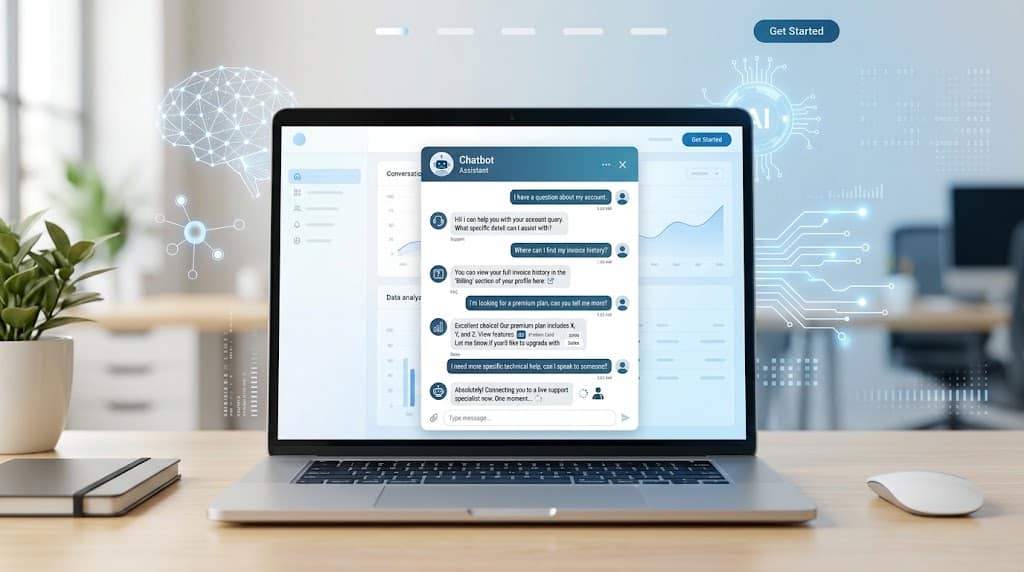
Modern AI chatbots can answer customer questions, provide product information, qualify leads, book appointments, and escalate conversations to human agents. For example, HubSpot’s current customer-agent documentation describes systems that use contextual knowledge to answer questions, ask clarifying questions, or transfer conversations to a human when appropriate.
This guide provides 25 chatbot response examples, ready-to-use templates, good-versus-bad examples, and practical tips for creating conversations that feel clear and helpful.
What Makes a Good Chatbot Response?
Before writing individual responses, it helps to understand what makes one effective.
A strong chatbot response should generally be:
- Relevant: It answers the visitor’s actual question.
- Concise: It doesn’t overwhelm the user with unnecessary information.
- Clear: The visitor immediately understands what to do.
- Conversational: It sounds natural rather than robotic.
- Accurate: It uses current and trustworthy information.
- Contextual: It remembers information already provided in the conversation.
- Action-oriented: It gives the user a logical next step.
- Transparent: It doesn’t pretend to be a human.
- Flexible: It can handle follow-up questions.
- Escalable: It can involve a human when necessary.
Modern AI systems can handle many routine support tasks, and customer service chatbots can help businesses answer common questions and guide customers through support processes.
The Chatbot Response Formula
A simple way to structure many chatbot messages is:
Understand → Answer → Guide → Confirm
1. Understand
Identify what the visitor is trying to accomplish.
2. Answer
Provide the most useful information available.
3. Guide
Give the visitor a clear next action.
4. Confirm
When necessary, confirm whether the issue has been resolved.
For example:
Visitor: Where is my order?
Chatbot: I can help you track it. Please enter your order number.
Visitor: 45892
Chatbot: Your order is in transit and is expected to arrive tomorrow. Would you like to view the tracking details?
This structure keeps the conversation focused instead of turning it into a long sequence of unrelated messages.
25 Chatbot Response Examples
1. Welcome Response
Use case: Starting a conversation
Response:
Hi! 👋 Welcome. How can I help you today?
Better variation:
Hi! 👋 I can help you find information, answer questions, or connect you with our support team. What would you like to do?
Why it works: It welcomes the visitor while immediately explaining what the chatbot can do.
2. General Help Response
Use case: Visitor asks for assistance without specifying a problem
Response:
Of course. What can I help you with?
Alternative:
I’d be happy to help. Are you looking for product information, support, pricing, or something else?
This gives the visitor an easy starting point.
3. FAQ Response
Visitor: Do you offer refunds?
Response:
Yes. Eligible purchases can be refunded according to our refund policy. Would you like me to show you the refund requirements?
The response answers the question and offers a useful next action.
4. Pricing Response
Visitor: How much does it cost?
Response:
I can help you find the right plan. Are you looking for an individual plan or one for a team?
This is better than immediately displaying every available pricing option when the chatbot doesn’t yet know the visitor’s requirements.
5. Product Recommendation Response
Visitor: Which product is best for me?
Response:
I can help you choose. What will you mainly use the product for?
A follow-up question gives the chatbot useful context before making a recommendation.
6. Sales Response
Use case: Visitor shows buying interest
Response:
I’d be happy to help you compare your options. What feature is most important to you?
The chatbot can continue asking relevant questions without becoming overly promotional.
7. Lead Generation Response
Use case: Collecting information from a potential customer
Response:
I can help you find the right solution. What type of business do you operate?
Follow-up questions can cover company size, requirements, timeline, and contact information.
8. Order Tracking Response
Visitor: Where is my order?
Response:
I can check that for you. Please enter your order number.
After receiving the number:
Your order is currently in transit. Would you like to view the latest tracking information?
This is an example of a task-oriented chatbot response.
9. Shipping Response
Visitor: How long does delivery take?
Response:
Standard delivery usually takes 3–5 business days. Delivery times may vary by location. Would you like to check delivery options for your area?
The chatbot should only provide specific delivery times when they are supported by current business information.
10. Returns Response
Visitor: How do I return an item?
Response:
I can help with your return. First, please tell me whether your order has already been delivered.
This keeps the conversation focused and avoids giving irrelevant instructions.
11. Appointment Booking Response
Use case: Scheduling a service
Response:
Sure, I can help you book an appointment. Which service would you like to schedule?
After the visitor selects a service:
What date would work best for you?
A chatbot can then continue through the available booking options.
12. Technical Support Response
Visitor: My account isn’t working.
Response:
I can help troubleshoot that. What happens when you try to sign in?
This is better than immediately providing a long troubleshooting checklist.
13. Password Reset Response
Visitor: I forgot my password.
Response:
No problem. You can reset your password using the password-reset option on the sign-in page. Would you like me to guide you through the steps?
The response should only provide procedures that match the website’s actual account system.
14. Human-Agent Handoff Response
Use case: AI cannot resolve the issue
Response:
I haven’t been able to resolve this for you. I can connect you with a human support specialist who can take a closer look. Would you like to continue?
Human escalation is an important part of a reliable chatbot experience. Modern customer-agent systems can use confidence or conversation conditions to decide when to involve a human.
15. Fallback Response
Use case: Chatbot doesn’t understand the request
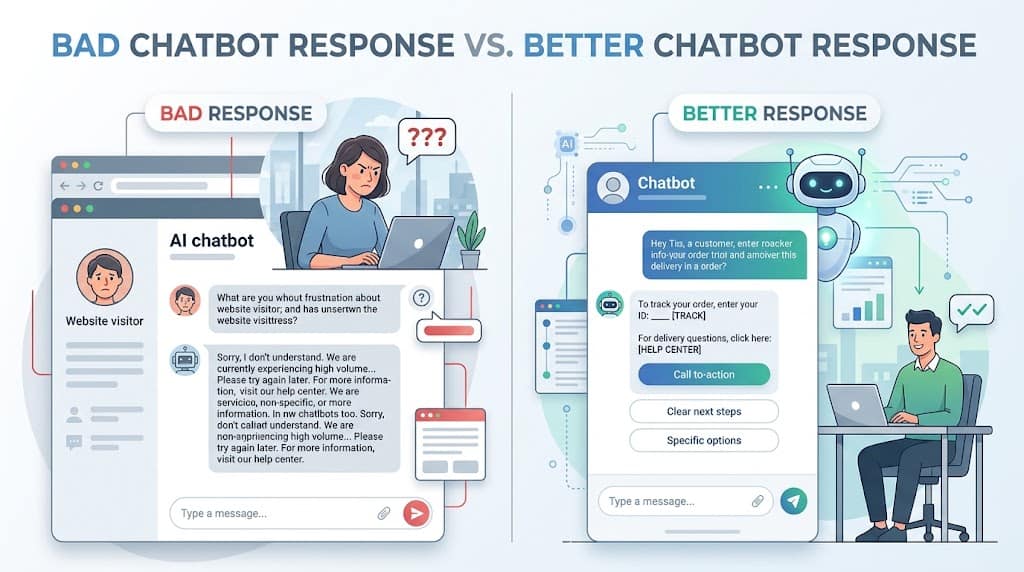
Poor response:
I don’t understand.
Better response:
I’m not sure I understood that. Could you rephrase your question? You can also choose one of these options: Support, Products, Pricing, or Contact Us.
The second response gives the visitor a way forward.
16. Clarification Response
Use case: The visitor’s request is ambiguous
Visitor:
I need help with my account.
Response:
Sure. Are you having trouble signing in, updating your account details, or managing your subscription?
Instead of guessing, the chatbot asks a focused clarification question.
17. Complaint Response
Visitor:
I’m unhappy with my order.
Response:
I’m sorry you’re having trouble with your order. I can help you look into it. What went wrong?
The chatbot should acknowledge the concern without making promises it cannot fulfill.
18. Error Response
Use case: System cannot complete a requested action
Response:
Sorry, I couldn’t retrieve that information right now. Please try again in a moment. If the problem continues, I can help you contact support.
A useful error response should explain the situation and provide another option.
19. Out-of-Hours Response
Use case: Human support is unavailable
Response:
Our support team is currently offline. You can still ask me common questions, or leave a message for the team and we’ll follow up during support hours.
This makes the limitation clear while keeping the conversation useful.
20. Confirmation Response
Use case: A requested action has been completed
Response:
Your appointment has been successfully booked for Tuesday at 2:00 PM. Would you like help with anything else?
Confirmation should clearly state what happened.
21. Feedback Response
Use case: End of a support conversation
Response:
Was this answer helpful?
Possible choices:
Yes 👍 | No 👎
A follow-up can ask:
What could we improve?
Feedback systems can help identify weak responses and areas where the chatbot needs better information.
22. Follow-Up Response
Use case: Visitor hasn’t completed the conversation
Response:
Would you like me to continue helping you with that?
Keep follow-ups useful rather than repeatedly interrupting the visitor.
23. Re-Engagement Response
Use case: Returning visitor
Response:
Welcome back! Would you like to continue where you left off or start a new conversation?
This can be useful when the system has appropriate conversation context.
24. Thank-You Response
Visitor:
Thanks for your help.
Response:
You’re welcome! I’m glad I could help. If you have another question, just let me know.
Simple responses are usually best for casual interactions.
25. Closing Response
Use case: Conversation is complete
Response:
Glad I could help! If you need anything else, you can start another chat anytime.
The chatbot should finish naturally rather than forcing unnecessary promotional messages.
Good vs. Bad Chatbot Responses
One of the easiest ways to improve chatbot content is to compare weak responses with better alternatives.
| Situation | Weak Response | Better Response |
|---|---|---|
| Greeting | “Hello.” | “Hi! How can I help you today?” |
| Support | “Contact support.” | “I can help first. What seems to be the problem?” |
| Unknown question | “I don’t understand.” | “Could you rephrase your question?” |
| Pricing | “See pricing page.” | “I can help you compare plans. What are you looking for?” |
| Order | “Your order is processing.” | “Your order is being prepared. Would you like to view its latest status?” |
| Human support | “No answer available.” | “I can connect you with a support specialist.” |
| Error | “Error.” | “I couldn’t retrieve that information. Please try again.” |
The better responses work because they give the visitor context and a next step rather than ending the interaction.
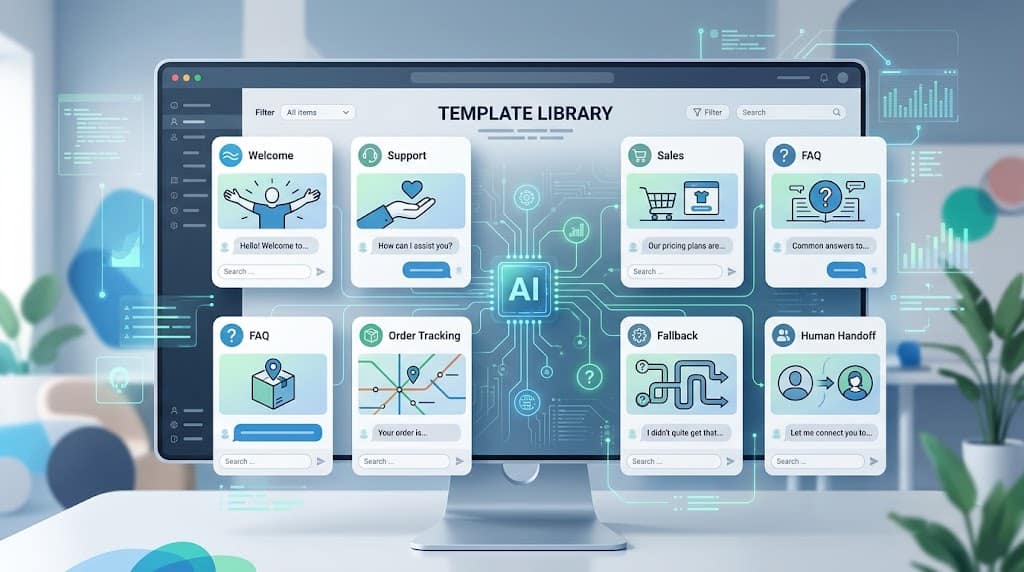
Ready-to-Use Chatbot Response Templates
Welcome Template
Hi! 👋 Welcome to [Website]. How can I help you today?
Customer Support Template
I’d be happy to help with that. What seems to be the problem?
Product Template
I can help you find the right product. What will you mainly use it for?
Pricing Template
I can help you compare our plans. Are you looking for an individual or team plan?
Order Template
I can check your order status. Please enter your order number.
Booking Template
Sure, I can help you schedule an appointment. Which service would you like?
Fallback Template
I’m not sure I understood that. Could you rephrase your question?
Clarification Template
Just to make sure I understand, are you asking about [option A] or [option B]?
Human Handoff Template
I can connect you with a human support specialist. Would you like me to transfer this conversation?
Out-of-Hours Template
Our support team is currently offline. I can still help with common questions or collect your message for the team.
Error Template
Sorry, I couldn’t complete that request right now. Please try again, or I can help you contact support.
Closing Template
Glad I could help! Feel free to start another conversation if you need anything else.
How to Make Chatbot Responses Sound More Human
A chatbot doesn’t need to pretend to be human to sound natural.
The goal is to make the interaction clear and conversational.
Use Short Sentences
Instead of:
“Thank you for contacting our customer service department. We would be delighted to assist you with your inquiry.”
Try:
“I’d be happy to help. What do you need?”
Avoid Unnecessary Formality
Words such as “hereby,” “regarding the aforementioned,” or “we sincerely apologize for any inconvenience caused” can make simple conversations sound unnatural.
Use straightforward language.
Acknowledge the Question
If someone asks:
“How do I change my password?”
A useful opening is:
“I can help you change your password.”
This confirms that the chatbot understood the request. Zendesk specifically recommends confirming intent at the beginning of a response.
Ask One Question at a Time
Don’t make the visitor answer five questions in one message.
Instead:
What’s your budget?
Then:
What will you mainly use the product for?
This creates a more natural conversation.
Use Context
If the visitor already provided their order number, don’t ask for it again unnecessarily.
Context makes AI conversations feel much more useful.
How to Write Chatbot Responses That Convert
For sales and lead generation, the chatbot should help rather than pressure.
A useful pattern is:
Question → Understand → Recommend → Action
For example:
Chatbot: What are you looking for?
Visitor: A project management tool for a small team.
Chatbot: How many people will use it?
Visitor: Six.
Chatbot: Thanks. I can show you options suitable for a six-person team. Would you like to compare them?
This approach is more natural than immediately asking:
“Would you like to buy our premium plan?”
The chatbot should first understand the visitor’s needs.
Chatbot Response Best Practices
1. Confirm Intent
Make sure the visitor knows the chatbot understood the question.
“I can help you track your order.”
is clearer than immediately giving unrelated instructions.
2. Keep It Short
Give the information required for the current step.
Long explanations can be provided when the visitor asks for more detail.
3. Give One Main Action
Don’t ask users to complete multiple unrelated tasks in the same message.
4. Use Buttons When Appropriate
For predictable choices, buttons can be easier than requiring users to type.
For example:
Choose an option:
- Track Order
- Returns
- Product Help
- Contact Support
5. Don’t Overpromise
Never claim that an action has been completed unless the system actually completed it.
Instead of:
“Your refund has been processed.”
when the system hasn’t processed it, say:
“I can help you check the status of your refund.”
6. Keep Information Current
Pricing, policies, product information, delivery times, and account procedures can change.
AI responses should be based on reliable, updated business information. HubSpot recommends maintaining accurate company knowledge and updating it when products, pricing, or policies change.
Common Chatbot Response Mistakes
Generic Answers
“Please visit our website.”
If the visitor is already on the website, this provides little value.
Too Much Information
A chatbot shouldn’t send a wall of text when a simple answer is enough.
Repeating Questions
If the visitor has already provided information, the chatbot should use the existing context.
Ignoring Intent
A question about a refund shouldn’t receive a generic product recommendation.
Pretending to Be Human
The chatbot should be transparent about being an automated assistant.
No Escalation
Some problems require a human.
Outdated Information
Incorrect policies, pricing, or product information can damage trust.
Unnecessary Promotions
Don’t turn every support conversation into a sales pitch.
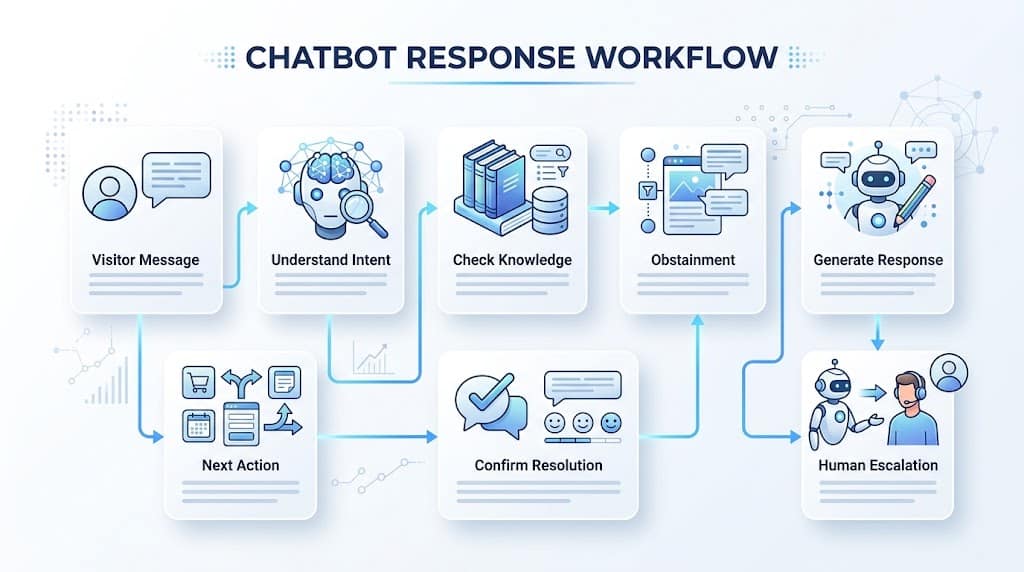
Chatbot Response Workflow
A reliable response process can be visualized as:
Visitor Message
↓
Understand Intent
↓
Check Available Information
↓
Generate Relevant Response
↓
Offer One Clear Next Step
↓
Confirm Resolution
↓
Escalate if Necessary
This structure works for both simple rule-based bots and more advanced AI agents.
How to Improve Existing Chatbot Responses
If your website already has a chatbot, you don’t need to rewrite everything at once.
Start by reviewing actual conversations.
Look for:
- Questions the chatbot frequently fails to answer
- Repeated fallback responses
- Conversations ending without resolution
- Questions that frequently require human escalation
- Negative customer feedback
- Long or confusing conversations
- Outdated answers
Then improve the response library or knowledge source.
A practical improvement cycle is:
Review → Identify → Rewrite → Test → Measure → Improve
This approach allows you to improve the chatbot based on real user behavior instead of guessing what visitors need.
How to Test Chatbot Responses
Before publishing new responses, test different conversation styles.
Test Direct Questions
What is your refund policy?
Test Conversational Questions
Can I get my money back?
Test Short Questions
Refund?
Test Follow-Ups
What about international orders?
Test Misspellings
How do I chnage my password?
Test Unexpected Requests
Can I speak to a real person?
The chatbot should respond appropriately rather than relying on perfectly worded questions.
Measuring Chatbot Response Quality
Don’t judge a chatbot only by how many conversations it handles.
Useful metrics include:
- Resolution rate
- Human escalation rate
- Customer satisfaction
- Fallback frequency
- Conversation completion
- Response time
- Lead conversion
- Booking completion
- Customer feedback
A high number of automated conversations is not necessarily a success if customers frequently leave without getting help.
Final Thoughts
Effective chatbot responses are built around a simple principle: understand what the visitor needs and make it easy for them to move forward.
The best responses are not necessarily the longest or most sophisticated. They are the ones that provide the right information at the right moment.
Use short messages, confirm intent, ask focused questions, provide clear next actions, and keep your chatbot’s knowledge up to date. When the AI cannot confidently solve a problem, give the visitor a straightforward path to human support.
With these principles and the templates above, businesses can create chatbot conversations that feel more useful, consistent, and natural.
Frequently Asked Questions
What are chatbot responses?
Chatbot responses are automated messages generated after a visitor sends a question or request. They can answer questions, provide information, perform tasks, or guide users through a conversation.
What is a good chatbot response?
A good chatbot response is clear, relevant, concise, accurate, and helpful. It should usually provide a logical next step.
How do you make chatbot responses sound human?
Use natural language, short sentences, conversational wording, relevant context, and one clear action per message. Avoid overly formal or repetitive language.
What should a chatbot say when it doesn’t understand?
It should acknowledge the problem and give the visitor another option.
“I’m not sure I understood that. Could you rephrase your question?”
It can also provide buttons or offer human support.
Should chatbots ask questions?
Yes. Focused questions can help the chatbot understand the visitor’s intent and provide a more relevant response.
Can AI chatbots handle customer support?
Yes. AI chatbots can handle many routine customer-support tasks, answer questions using trusted information, and escalate more complex conversations to human agents.
How long should a chatbot response be?
Keep most responses short and focused. Provide additional information when the visitor needs it rather than sending a large block of text immediately.
What is a fallback chatbot response?
A fallback response is used when the chatbot cannot understand a question or doesn’t have enough information to answer reliably.