Stop wasting time on complex software. Our expert guide reviews the best AI tools for beginners in 2026 to fix with AI your daily bottlenecks and boost your productivity today.
Why Most “Best AI Tool” Lists Are Wrong
If you search for AI tools today, you’ll find hundreds of apps that do the same thing. For a beginner, the problem isn’t a lack of tools—it’s tool fatigue. Whenever you need to fix with AI simple administrative errors or messy data sets, sorting through countless options becomes overwhelming.
In 2026, the gap between “knowing AI exists” and “knowing how to make AI work for you” is what defines success. We have tested dozens of platforms to bring you a list that focuses on utility, ease of use, and actual results, cutting through the industry noise to highlight what genuinely moves the needle. Whether you want to streamline your digital workflow strategy or optimize your daily routine, having a reliable system is crucial.
Key Takeaway: Tool fatigue is real. Mastering two or three core applications yields significantly better results than dabbling in dozens of disjointed platforms.
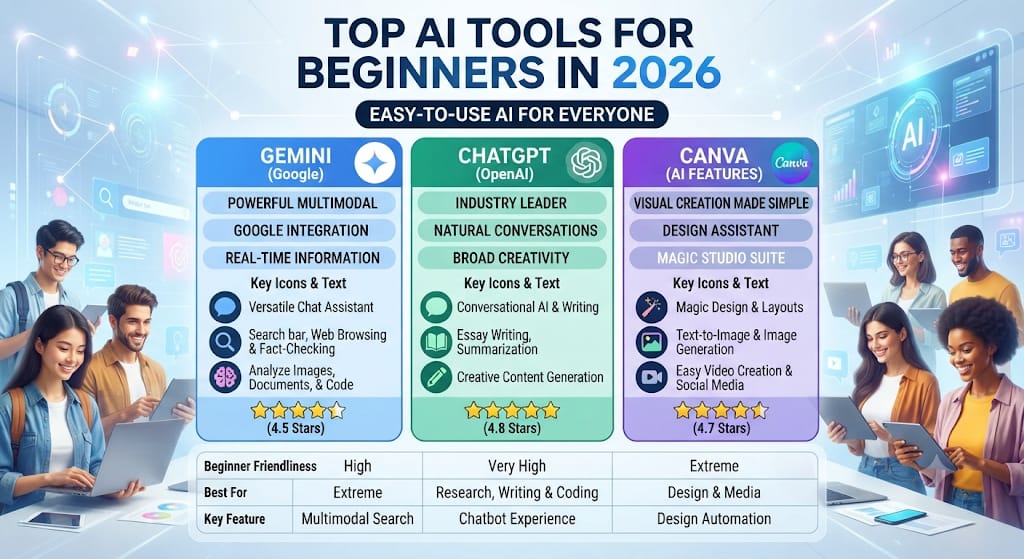
1. Google Gemini: The Ecosystem King
For most beginners, the best AI tool is the one they already own. Gemini is now deeply integrated into Google Workspace (Docs, Gmail, and Drive), making it friction-free for anyone already operating within the Google ecosystem.
- The Edge: It doesn’t just “write”; it interacts with your personal data securely to save you hours of manual cross-referencing and searching. For deeper insights on productivity integration, you can check out Google’s official AI updates.
- Beginner Use Case: Use it to “summarize the last three emails from my client and draft a reply in my tone.”

3. Canva Magic Studio: Design for Non-Designers
You no longer need to learn complicated layers, vectors, or expensive professional software suites. Canva’s AI suite allows absolute beginners to generate high-end marketing visuals and layouts from a simple text prompt.
- The Edge: The “Magic Switch” feature can turn a single Instagram post into a video, a slide deck presentation, and a blog header instantly. For creative inspiration and layout trends, reference the Canva Design School blog.
- Beginner Use Case: Creating professional, high-CTR YouTube thumbnails that actually drive clicks and audience engagement.
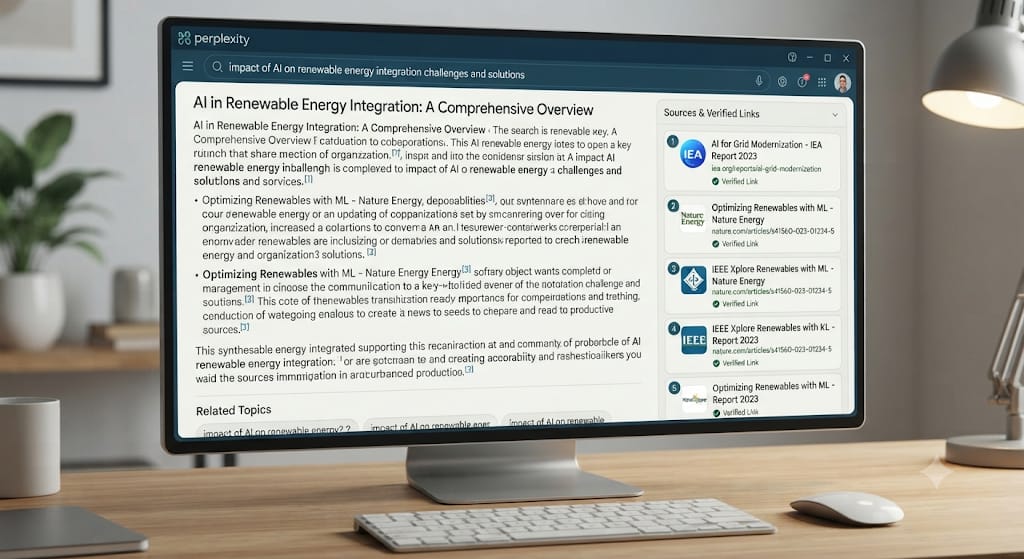
4. Perplexity AI: The End of Traditional Search
Perplexity is built for people who are tired of wading through SEO fluff and ads on traditional search engines. It provides direct, highly conversational answers supported by clear, footnoted sources.
The Edge: Total transparency. You can click and see exactly which website or academic paper provided the background information.
The Beginner’s Strategy for 2026
The Beginner’s Strategy for 2026
Don’t try to learn 10 different tools at once. Master one primary text tool (such as Gemini or ChatGPT) and one visual platform (like Canva). This streamlined 80/20 approach comfortably covers 90% of all professional, academic, and personal tasks without causing burnout. If your goal is to fix with AI your weekly content calendar, pick your core applications and stick to them consistently.
Human vs. AI: The E-E-A-T Checklist
To ensure your content, outputs, and projects don’t get flagged as generic or “low-effort AI,” follow these three essential rules:
- Add Personal Experience: An AI can describe a recipe or travel destination, but it can’t tell you how it actually tasted or felt when you experienced it firsthand.
- Fact-Check Everything: AI tools in 2026 are exceptionally smart, but they can still occasionally “hallucinate” facts. Always verify crucial technical specs, names, and dates.
- The “Human Polish”: Use AI to generate the initial 70% “skeleton” or rough draft, then spend the remaining 30% injecting your own unique voice, tone, and perspective.
FAQs: What Beginners Ask in 2026
Q: Do I need a paid subscription to be productive?
No. In 2026, the robust free tiers of platforms like Gemini and ChatGPT are more powerful than the paid versions from previous years.
Q: Is my data safe when using these tools?
Always check your application’s privacy settings. Most modern tools offer a “Temporary Chat” or privacy-first mode where your personal inputs are not used to train public models.
Final Verdict
The best AI tool for a beginner in 2026 isn’t the most expensive one on the market—it’s the one you actually open and use every day to solve real problems. Start with Gemini for daily organization or ChatGPT for creative execution, and build your confidence from there.