Discover the best free AI tools of 2026 for writing, research, design, video, and coding — tested picks to boost productivity without paying a cent.
If you’ve ever hesitated to try an AI tool because you assumed it would cost money, you’re not alone — and you’re also missing out. The good news is that in 2026, some of the most capable AI tools available are still completely free to use, whether you need help writing, researching, designing, or coding. This guide breaks down the best free AI tools you should try this year, organized by what you’re actually trying to get done.
Free AI tools have moved far beyond simple chatbots. Today’s free tiers let you draft articles, summarize research papers, generate images, edit video, write code, and build presentations — all without a credit card. The challenge isn’t finding an AI tool anymore; it’s figuring out which ones are worth your time. This article cuts through the noise.
Why Free AI Tools Matter in 2026
Subscription costs add up fast. Between streaming services, cloud storage, and software licenses, another monthly fee for an AI assistant can feel like one expense too many. Fortunately, competition among AI companies has pushed free tiers to become genuinely useful rather than just teaser trials.
Most free AI tools today fall into a few practical categories:
- Conversational AI for writing, brainstorming, and answering questions
- Research tools that summarize documents and cite sources
- Visual tools for image and video creation
- Coding assistants that write and debug code
- Productivity tools for presentations, notes, and organization
Each category solves a different problem, so the “best” tool really depends on your task, not on which one is trending. If you want a deeper breakdown of how AI tools fit into everyday workflows, our guide to AI-powered productivity at Tech Command Co covers this in more detail.
Best Free AI Chatbots and Writing Assistants
Chatbots remain the most widely used entry point into AI, and the free versions of the top models are more capable than most people expect.
ChatGPT (Free Tier)
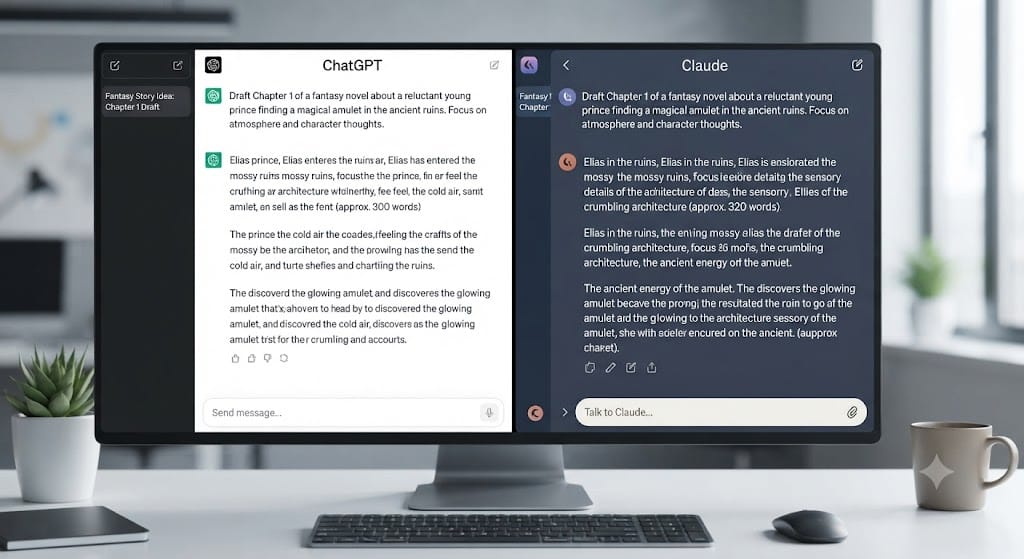
ChatGPT continues to be one of the most versatile free AI tools available. It can draft emails, summarize long documents, brainstorm ideas, explain complex topics in plain language, and even help with basic coding tasks. The free tier comes with usage limits and occasional access to older models during high-traffic periods, but for everyday writing and research, it remains a strong starting point.
Claude
Claude is known for handling longer documents and nuanced writing tasks well, with a free tier that includes daily usage limits. It’s a solid choice if you’re working with lengthy text, need careful reasoning, or want a more conversational writing partner for drafts and edits.
Google Gemini
Gemini’s biggest advantage is its tight integration with Google Workspace. If you already live in Gmail, Docs, and Sheets, the free version of Gemini can summarize emails, draft responses, and assist inside documents without needing a separate app.
Quick tip: If you’re comparing chatbots, don’t just look at features — test how each one handles a task you do weekly, like drafting a specific type of email or summarizing a report you already understand. That’s the fastest way to judge real-world usefulness.
Best Free AI Research and Study Tools
Not every AI tool is built for open-ended conversation. Some are designed specifically to help you work through source material accurately.
NotebookLM
Google’s NotebookLM is built around a simple idea: instead of pulling answers from the entire internet, it only answers based on documents you upload. This makes it especially useful for students, researchers, and professionals who need summaries grounded in specific sources rather than general web knowledge. It’s currently free to use and has become one of the most recommended free AI tools for research in 2026.
Perplexity AI
Perplexity works like a search engine crossed with a chatbot. It answers questions in plain language while citing its sources, which makes it useful for quick fact-checking or getting an overview of a topic before diving deeper. The free tier covers most casual research needs.
Best Free AI Tools for Design and Images
Visual content creation used to require design skills or expensive software. That’s no longer the case.
Canva Magic Studio
Canva’s AI features let you generate graphics, presentations, and social media visuals from text prompts, with automated layout suggestions that work even if you have no design background. It’s a strong pick for anyone who needs polished visuals quickly without learning design principles from scratch.
Adobe Firefly (Free Tier)
Firefly offers a generous free allotment of AI image generation credits and integrates directly with Adobe’s broader creative tools. It’s a good option if you’re already familiar with Adobe products or want AI-generated images with fewer usage restrictions than some competitors.
Best Free AI Tools for Video and Voice
Video production has traditionally been the most resource-intensive form of content creation. Free AI tools have changed that.
CapCut AI
CapCut’s free AI features include auto-captioning, background removal, and basic video editing suggestions, making it popular among short-form content creators who need fast turnaround without a steep learning curve.
ElevenLabs (Free Tier)
For voice and narration work, ElevenLabs offers a free tier that supports text-to-speech generation with a monthly character limit. It’s commonly used for simple narration, voiceovers, and localizing content into different languages.
Best Free AI Coding Assistants
Developers have arguably benefited the most from free AI tools, since coding assistance translates directly into time saved.
GitHub Copilot (Free Tier)
GitHub now offers a limited free tier of Copilot, giving individual developers a taste of AI-assisted code completion and chat-based debugging without a subscription. It integrates directly into popular code editors.
Google AI Studio
Google AI Studio gives developers and students a fast, free way to experiment with Gemini models for coding, reasoning, and multimodal tasks, without needing to set up a full development environment first.
If you’re weighing AI coding assistants against traditional development workflows, our team at Tech Command Co has written extensively about where AI tools genuinely save time versus where manual review still matters.
Best Free AI Tools for Presentations and Productivity
Gamma AI
Gamma turns a simple text prompt or outline into a formatted presentation, complete with slide layouts and visuals. It’s a fast way to build a deck without starting from a blank template, and the free tier covers casual and light professional use.
Napkin.ai
Napkin converts written text into visual diagrams and infographics automatically, which is useful for turning notes or reports into something more visual without manual design work.
Comparison Table: Best Free AI Tools by Category
| Category | Top Free Tool | Best For | Key Limitation |
|---|---|---|---|
| Chatbot / Writing | ChatGPT, Claude | Drafting, brainstorming, Q&A | Usage caps, model access limits |
| Research | NotebookLM | Source-grounded summaries | Requires uploaded documents |
| Design | Canva Magic Studio | Quick graphics and layouts | Limited exports on free tier |
| Video | CapCut AI | Short-form editing | Watermarks or export limits |
| Voice | ElevenLabs | Narration and voiceover | Monthly character limit |
| Coding | GitHub Copilot | Code completion, debugging | Limited free requests |
| Presentations | Gamma AI | Auto-generated slide decks | Limited themes/exports free |
How to Choose the Right Free AI Tool
Rather than trying every tool available, match the tool to the task:
- Use ChatGPT or Claude for content writing and brainstorming
- Use NotebookLM for document analysis and study
- Use Perplexity for quick, source-cited research
- Use Canva or Firefly for graphic design
- Use CapCut for short-form video editing
- Use Gamma for presentations
Combining two or three tools from different categories usually produces better results than relying on a single all-purpose assistant. For a broader look at how these tools fit into a full content workflow, see our related breakdown on choosing AI tools for small teams.
Practical Tips for Using Free AI Tools Safely
Free AI tools are useful, but a few habits will help you use them responsibly:
- Don’t input sensitive personal or financial data into any free AI tool, since data handling policies vary and free tiers may use inputs to improve models.
- Fact-check anything important, especially health, legal, or financial information — AI tools can produce confident-sounding but incorrect answers.
- Check usage limits before relying on a tool for ongoing work, since free tiers often cap daily requests or exports.
- Read the terms of service, particularly around content ownership if you’re generating images or video for commercial use.
If you’re using AI tools to research a health concern or symptom, treat the output as a starting point only. AI-generated information is not a substitute for professional medical advice, and you should consult a licensed healthcare provider for diagnosis, treatment, or any urgent medical concern.
Frequently Asked Questions
What are the best free AI tools in 2026?
Some of the most reliable free AI tools right now include ChatGPT, Claude, Google Gemini, NotebookLM, Perplexity AI, Canva Magic Studio, CapCut AI, and Gamma AI, each suited to a different type of task.
Are free AI tools actually free, or do they require a credit card?
Most reputable free AI tools, including ChatGPT, Claude, and Gemini, don’t require a credit card for their free tier, though they typically limit daily usage or feature access compared to paid plans.
Which free AI tool is best for writing content?
ChatGPT and Claude are generally considered the strongest free options for writing tasks, including drafting, editing, and summarizing text.
Is there a free AI tool for research and studying?
Yes — NotebookLM is widely regarded as the best free option for research, since it grounds its answers in documents you upload rather than general web content.
Can I use free AI tools for professional or commercial work?
Many free AI tools can be used commercially, but it’s important to check each platform’s terms of service, since usage rights and content ownership rules vary between tools.
Final Thoughts
The best free AI tools in 2026 make it possible to write, research, design, and build without spending anything upfront. The key is matching the right tool to the right task rather than searching for one app that does everything. Start with a chatbot like ChatGPT or Claude for everyday writing, add NotebookLM if you’re working with research material, and bring in Canva or Gamma when you need visuals. Try one or two tools this week, see how they fit into your workflow, and expand from there as your needs grow.