Discover the top AI apps for iPhone in 2026, including ChatGPT, Gemini, Claude, Perplexity, and AI tools for writing, research, photos, and productivity.
Artificial intelligence has become a practical part of everyday smartphone use. On the iPhone, AI can help with writing, research, studying, image editing, productivity, transcription, brainstorming, and even hands-free conversations.
The challenge is no longer finding an AI application. The App Store now has hundreds of options, and the best choice depends on what you actually want to accomplish.
For example, ChatGPT is a strong all-purpose assistant, Claude is useful for writing and long-form analysis, Gemini works particularly well for people already using Google services, and Perplexity is designed around research and web-based answers. Current 2026 app roundups consistently place these services among the leading AI options for iPhone users.
In this guide, we’ll look at 15 top AI apps for iPhone in 2026, what each one does best, who should use it, and what to consider before installing an AI tool.
What Are AI Apps for iPhone?
AI apps for iPhone are mobile applications that use artificial intelligence to perform tasks that traditionally required manual work or specialized software.
Depending on the application, AI can help you:
- Write and rewrite content
- Answer questions
- Search for information
- Summarize documents
- Generate images
- Edit photos
- Transcribe conversations
- Translate text
- Study difficult subjects
- Organize notes
- Create presentations
- Improve productivity
- Generate or analyze code
Some are general-purpose assistants, while others are designed for a specific task.
The important thing is to choose an application based on your workflow rather than simply downloading the most popular name.
15 Top AI Apps for iPhone in 2026
1. ChatGPT
Best for: General-purpose AI assistance
ChatGPT is one of the most versatile AI applications available on iPhone.
It can help with writing, brainstorming, research, document analysis, image-related tasks, coding, and voice conversations. Current 2026 comparisons continue to rank it among the strongest all-round choices for iPhone users.
It is particularly useful if you want one application that can handle many different tasks instead of installing a separate tool for every workflow.
Good for:
- Writing and editing
- Brainstorming
- Research
- Learning
- Voice conversations
- Image generation
- Document analysis
- Coding assistance
Best choice for: Users who want a flexible AI assistant for everyday tasks.
2. Google Gemini
Best for: Google ecosystem users
Google Gemini is a strong option for people who already rely heavily on Google services.
Its usefulness comes from combining conversational AI with Google’s broader ecosystem. Depending on the available plan and region, features can include advanced reasoning, research capabilities, image generation, and connections with Google productivity services.
Several current 2026 comparisons identify Gemini as a particularly suitable choice for users who live inside Google’s ecosystem.
Good for:
- Google Workspace users
- Research
- Brainstorming
- Writing
- Voice interaction
- Multimodal tasks
Best choice for: People who regularly use Gmail, Google Docs, Calendar, and other Google services.
3. Claude
Best for: Writing, analysis, and long documents
Claude from Anthropic has become a popular choice for users who need detailed writing and reasoning assistance.
It can help analyze documents, summarize information, develop ideas, write content, and work through complex questions.
Current iPhone comparisons frequently position Claude as a strong option for long-form writing and analysis.
Good for:
- Long-form writing
- Document analysis
- Research assistance
- Brainstorming
- Coding
- Detailed explanations
Best choice for: Writers, students, researchers, and professionals working with lengthy material.
4. Perplexity
Best for: Research and web search
Perplexity takes a research-focused approach to AI.
Instead of functioning primarily as a conventional chatbot, it is designed to search information and provide answers with supporting sources. This makes it useful when you want to investigate a topic rather than simply generate text.
Current 2026 comparisons consistently highlight Perplexity for research and cited answers.
Good for:
- Online research
- Current information
- Comparing sources
- Quick fact-finding
- Research questions
Best choice for: Students, researchers, writers, and anyone who wants source-backed answers.
5. Microsoft Copilot
Best for: Microsoft users
Microsoft Copilot is particularly useful for people who work with Microsoft products.
It can assist with writing, questions, productivity, and other tasks, while Microsoft 365 integrations can make it more useful for users already working with Office applications.
Current 2026 app comparisons list Copilot among the major AI options for iPhone.
Good for:
- Microsoft 365 users
- Writing
- Productivity
- Research
- Business tasks
- Office workflows
Best choice for: Students and professionals who already use Microsoft services.
6. Grok
Best for: Real-time conversations and current topics
Grok is an AI assistant associated with the X ecosystem and is available as a mobile application.
Its appeal comes from conversational interaction and access to current information and topics, depending on the features available through the service.
Recent 2026 iOS app rankings place Grok among the most visible AI applications on the platform.
Good for:
- General questions
- Current topics
- Conversational AI
- Brainstorming
- Creative prompts
Best choice for: Users who want another general-purpose assistant with a strong focus on current conversations.
7. Otter.ai
Best for: Meeting and lecture transcription
Otter.ai focuses on converting spoken conversations into text.
This can be especially useful for students, journalists, professionals, researchers, and anyone who frequently attends meetings or lectures.
The application can help with transcription, speaker identification, summaries, and reviewing recorded conversations, depending on the plan.
Good for:
- Meeting notes
- Lectures
- Interviews
- Voice transcription
- Summaries
Best choice for: Students and professionals who need searchable records of spoken conversations.
8. Grammarly
Best for: Writing improvement
Grammarly combines grammar assistance with AI-powered writing features.
On iPhone, it can be useful when writing emails, messages, social media posts, assignments, or other text.
Instead of simply identifying spelling mistakes, modern AI writing tools can help improve clarity, tone, structure, and wording.
Good for:
- Grammar correction
- Rewriting
- Email writing
- Professional communication
- Improving clarity
Best choice for: Students, writers, and professionals who frequently write on their phones.
9. Remini
Best for: AI photo enhancement
Remini focuses on improving photographs using AI-powered enhancement.
It can be useful when an image is blurry, low-resolution, old, or lacks detail.
The tool is particularly appealing for users who want quick photo improvements without using complicated desktop editing software.
Good for:
- Photo enhancement
- Portrait improvement
- Old photo restoration
- Image sharpening
Best choice for: Casual photographers and social media users.
10. Photoroom
Best for: AI photo editing
Photoroom is designed for quick image editing, particularly for product photographs and social media content.
AI-assisted features can simplify tasks such as removing backgrounds, creating clean product images, and preparing visual content.
Current 2026 AI app lists include Photoroom among notable iPhone tools for creative and image-related workflows.
Good for:
- Background removal
- Product photography
- Social media graphics
- Online stores
- Quick photo editing
Best choice for: Small businesses, creators, sellers, and social media users.
11. Notion
Best for: AI-powered notes and organization
Notion combines notes, documents, databases, and project organization with AI features.
It can help users summarize information, improve writing, brainstorm ideas, and organize knowledge.
For students and professionals who already use Notion to manage information, the AI features can make the platform more useful.
Good for:
- Notes
- Project management
- Research organization
- Summaries
- Brainstorming
Best choice for: Students, creators, and teams that want AI inside an organizational workspace.
12. QuillBot
Best for: Paraphrasing and writing assistance
QuillBot is designed around writing improvement and paraphrasing.
It can help users rewrite sentences, summarize content, and improve written communication.
For students and writers, it can be useful when a sentence needs to be expressed more clearly or naturally.
Good for:
- Paraphrasing
- Summarization
- Writing improvement
- Grammar assistance
Best choice for: Students, writers, and people who frequently edit text.
13. Photomath
Best for: Mathematics and studying
Photomath takes a different approach from general-purpose AI assistants.
It is designed specifically around mathematics. Users can use their phone camera to capture a mathematical problem and receive assistance understanding how to solve it.
This makes it particularly useful for students who need help with calculations and mathematical concepts.
Good for:
- Mathematics homework
- Algebra
- Calculations
- Step-by-step learning
- Graph-related problems
Best choice for: School and university students studying mathematics.
14. Picsart
Best for: AI-powered creative editing
Picsart combines photo and video editing with AI-assisted creative tools.
It can be useful for people creating social media content, marketing graphics, images, and short-form visual material.
Current 2026 AI app comparisons include Picsart among notable creative applications available for mobile users.
Good for:
- Photo editing
- Social media content
- Background removal
- Creative designs
- Image enhancement
Best choice for: Creators, marketers, and social media users.
15. Meta AI
Best for: Everyday AI conversations
Meta AI provides another general-purpose assistant experience and is closely connected with Meta’s broader ecosystem.
It can be useful for questions, brainstorming, creative tasks, and conversational interactions.
Current iOS app tracking lists Meta AI among the notable AI applications available on iPhone.
Good for:
- General questions
- Brainstorming
- Creative tasks
- Everyday assistance
- Conversational AI
Best choice for: Users already active in Meta’s ecosystem who want AI assistance within familiar services.
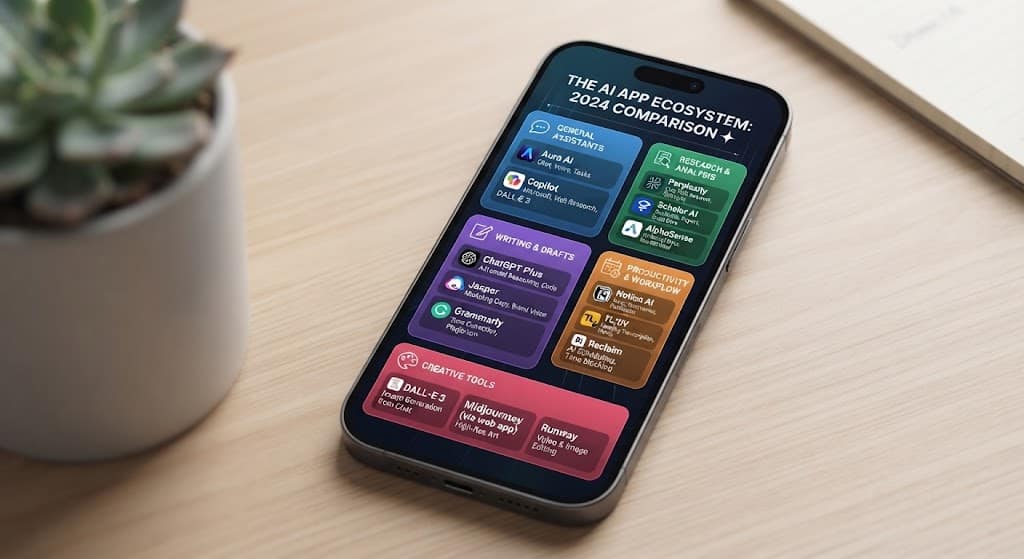
Quick Comparison of the Top AI Apps for iPhone
| App | Best For | Main Strength |
|---|---|---|
| ChatGPT | Overall use | Versatility |
| Google Gemini | Google users | Google ecosystem |
| Claude | Writing & analysis | Long-form work |
| Perplexity | Research | Source-backed search |
| Microsoft Copilot | Microsoft users | Office productivity |
| Grok | Current topics | Conversational experience |
| Otter.ai | Transcription | Meetings and lectures |
| Grammarly | Writing | Editing and clarity |
| Remini | Photos | Image enhancement |
| Photoroom | Product images | Background editing |
| Notion | Organization | Notes and workflows |
| QuillBot | Paraphrasing | Writing improvement |
| Photomath | Mathematics | Study assistance |
| Picsart | Creative work | Photo and design editing |
| Meta AI | Everyday use | Conversational assistance |
The “best” choice depends heavily on your use case. Current 2026 comparisons show a similar pattern: general assistants dominate broad workflows, while specialized tools can be better for photography, transcription, mathematics, or research.
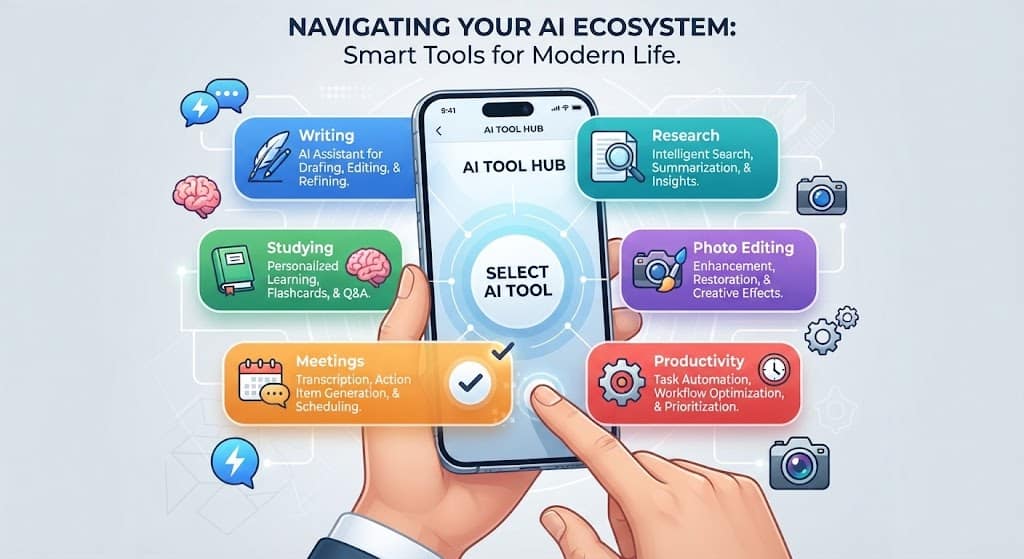
Best AI Apps for Different Needs
Choosing an application becomes easier when you start with the task rather than the brand.
Best for General AI Assistance
ChatGPT is a strong starting point if you want one application capable of handling writing, questions, voice, documents, and creative tasks.
Best for Google Users
Google Gemini makes the most sense if your daily workflow already revolves around Google’s services.
Best for Writing
Claude is worth considering when your priority is long-form writing, analysis, and detailed responses.
Best for Research
Perplexity is a strong option when finding current information and reviewing sources is more important than creative writing.
Best for Microsoft Users
Microsoft Copilot is particularly relevant for people who spend much of their time using Microsoft products.
Best for Students
Students may benefit from a combination of general assistants such as ChatGPT or Claude and specialized tools such as Photomath.
Best for Photo Editing
Remini, Photoroom, and Picsart are useful for different types of image enhancement and creative editing.
Best for Meetings
Otter.ai is the more specialized option when transcription and meeting notes are the main requirements.
Free vs Paid AI Apps on iPhone
Many AI applications provide a free tier, but free access does not always mean unlimited access.
Free plans may include restrictions on:
- Number of messages
- Advanced models
- Image generation
- File uploads
- Research features
- Storage
- Transcription minutes
- Export options
Paid subscriptions can provide higher usage limits and additional features.
Pricing also changes frequently, and App Store pricing can vary by country, taxes, currency, and subscription type. Current 2026 comparisons show significant differences between free and premium tiers across leading applications.
Before subscribing, check the current price directly in the iPhone App Store and confirm which features are actually included in the plan.
How to Choose the Right AI App for iPhone
You do not need to install every AI tool available.
Instead, consider these factors.
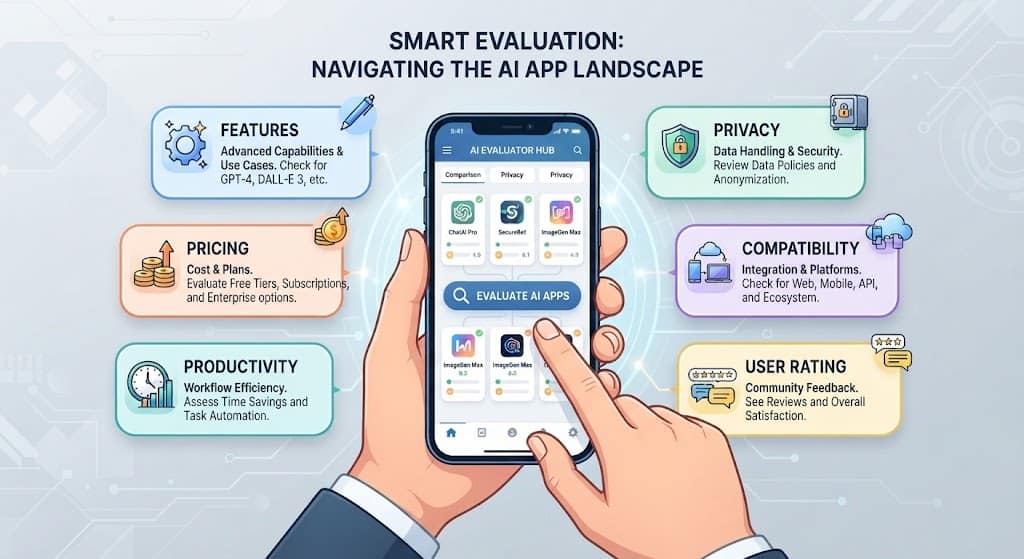
1. Identify Your Main Task
Ask yourself what you actually need.
Do you want help with writing, studying, research, images, meetings, productivity, or general questions?
Your answer will immediately eliminate many unnecessary applications.
2. Check the Free Version
Try the free version before paying for a subscription.
This lets you determine whether the app fits your workflow.
3. Review Privacy Settings
AI applications may process information you submit to them.
Before uploading private documents, personal information, business material, or sensitive conversations, review the provider’s privacy policy and data controls.
4. Consider Your Existing Ecosystem
If you already use Google, Microsoft, Apple, Meta, or another productivity ecosystem, an AI tool that works naturally with those services may be more useful than a standalone application.
5. Check iPhone Compatibility
Features can vary according to:
- iPhone model
- iOS version
- Region
- Account type
- Subscription
- App version
Always check the current App Store listing before relying on a specific feature.
Are AI Apps Safe to Use on iPhone?
AI applications can be useful, but users should still consider privacy and security.
Avoid uploading sensitive information unless you understand how the service handles that data.
This can include:
- Passwords
- Financial information
- Private documents
- Confidential business information
- Personal identification documents
- Sensitive conversations
You should also download applications from legitimate sources and keep both iOS and your applications updated.
The most useful AI tool is not necessarily the one with the largest feature list. It is the one that provides useful results while fitting your privacy, security, and workflow requirements.
Common Mistakes When Using AI Apps
Installing Too Many Applications
Having ten different AI assistants does not necessarily make you more productive.
Start with one or two applications and learn their strengths.
Paying Before Testing
Many services offer free access or trials. Test the workflow before purchasing a subscription.
Trusting Every AI Answer
AI-generated responses can contain mistakes.
Important information should be checked against reliable sources, especially for education, finance, legal matters, health, or other high-stakes decisions.
Uploading Sensitive Information
Think carefully before sending private files or personal information to any AI service.
Ignoring App Permissions
Review the permissions requested by an application and disable access that is unnecessary for the features you want to use.
Frequently Asked Questions
What are the top AI apps for iPhone in 2026?
Some of the leading options include ChatGPT, Google Gemini, Claude, Perplexity, Microsoft Copilot, Grok, and several specialized applications for writing, photography, transcription, and studying. The right choice depends on your specific needs.
What is the best AI app for iPhone?
There is no single application that is best for everyone. ChatGPT is a strong general-purpose option, while Gemini, Claude, Perplexity, and specialized tools may be better for particular workflows.
Are there free AI apps for iPhone?
Yes. Many leading AI applications offer free versions, although advanced models and features may require a subscription.
Which AI app is best for students?
Students can use general assistants such as ChatGPT, Claude, or Gemini for explanations, brainstorming, and study support. Photomath can be particularly useful for mathematics.
Which AI app is best for research?
Perplexity is a strong option for research because its workflow focuses on web search and source-backed answers.
Which AI app is best for writing?
Claude, ChatGPT, Grammarly, and QuillBot can all help with writing, but they serve different purposes. General assistants are useful for drafting and brainstorming, while Grammarly and QuillBot focus more specifically on editing and rewriting.
Can I use AI apps without paying?
Many services offer free plans. However, usage limits, advanced models, image features, file handling, and other capabilities may be restricted.
Are AI apps available on every iPhone?
Availability depends on the application, iOS version, device capabilities, region, and sometimes account type. Check the current App Store listing for compatibility before installing.
The Future of AI on iPhone
AI on smartphones is moving beyond simple chat interfaces.
Future mobile AI experiences are likely to become more integrated with operating systems, applications, cameras, voice controls, files, and personal workflows.
Instead of opening a dedicated application for every task, users may increasingly interact with AI through system-level features and connected applications.
This could make everyday tasks such as summarizing information, editing images, searching documents, writing messages, and organizing schedules faster.
At the same time, privacy will remain an important consideration. As AI becomes more connected to personal data and mobile workflows, users will need to understand what information is processed and how it is handled.
The strongest mobile AI experience will not necessarily come from one application. For many users, the best approach will be a small collection of tools, each selected for a specific purpose.
Final Thoughts
The number of AI applications available for iPhone has grown rapidly, giving users more choices than ever.
For a general-purpose assistant, ChatGPT is a strong starting point. Gemini is particularly useful for Google users, Claude is well suited to writing and analysis, and Perplexity is a strong choice for research. Specialized tools such as Otter.ai, Remini, Photoroom, Photomath, and Grammarly can fill specific needs.
You do not need to install every tool on this list.
Start with the task you perform most often, try one suitable application, and evaluate whether it actually saves time or improves your results.
The best AI app for your iPhone is ultimately the one that fits your workflow, provides useful results, respects your privacy expectations, and offers enough value to justify its cost.